









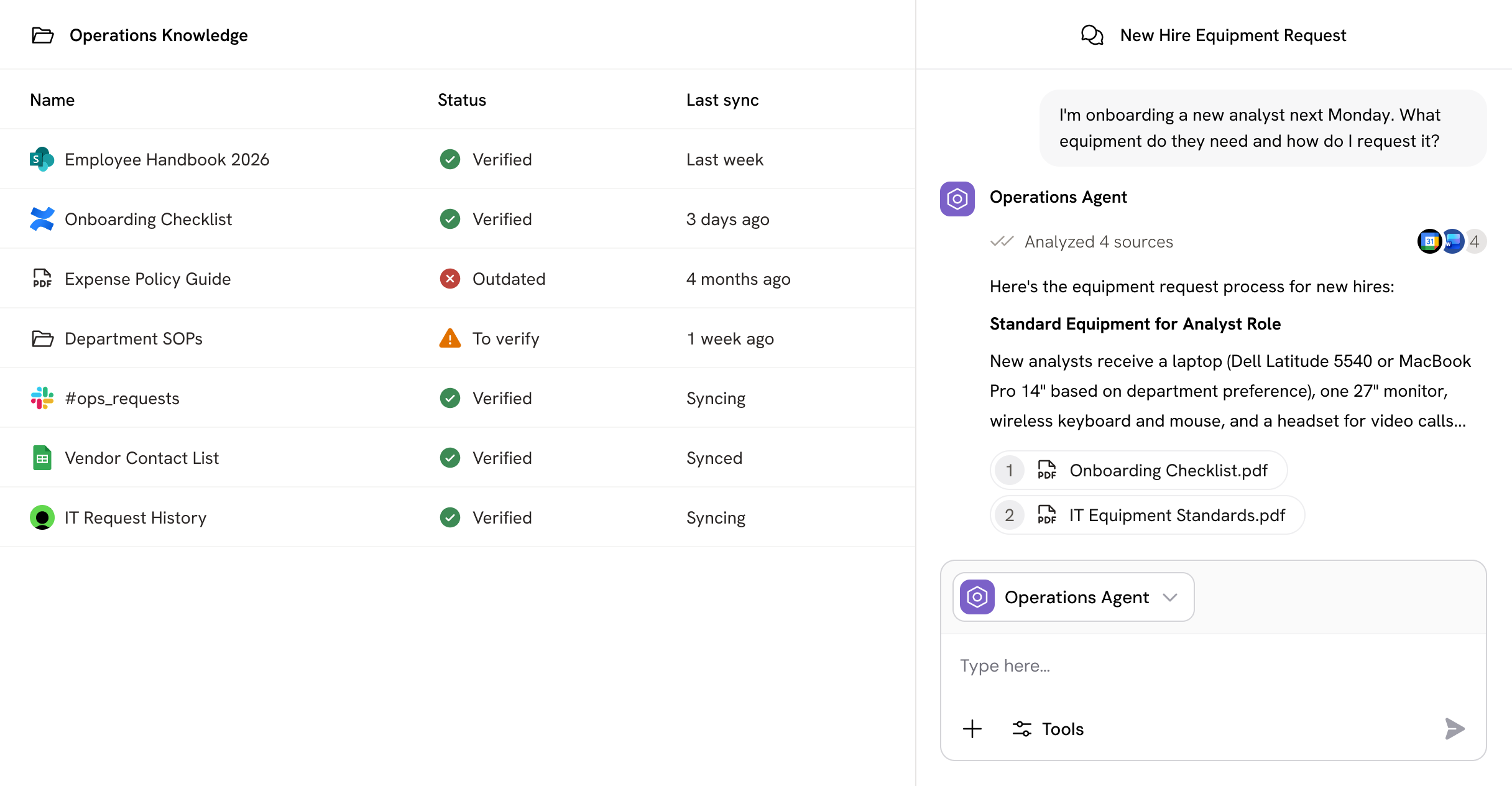
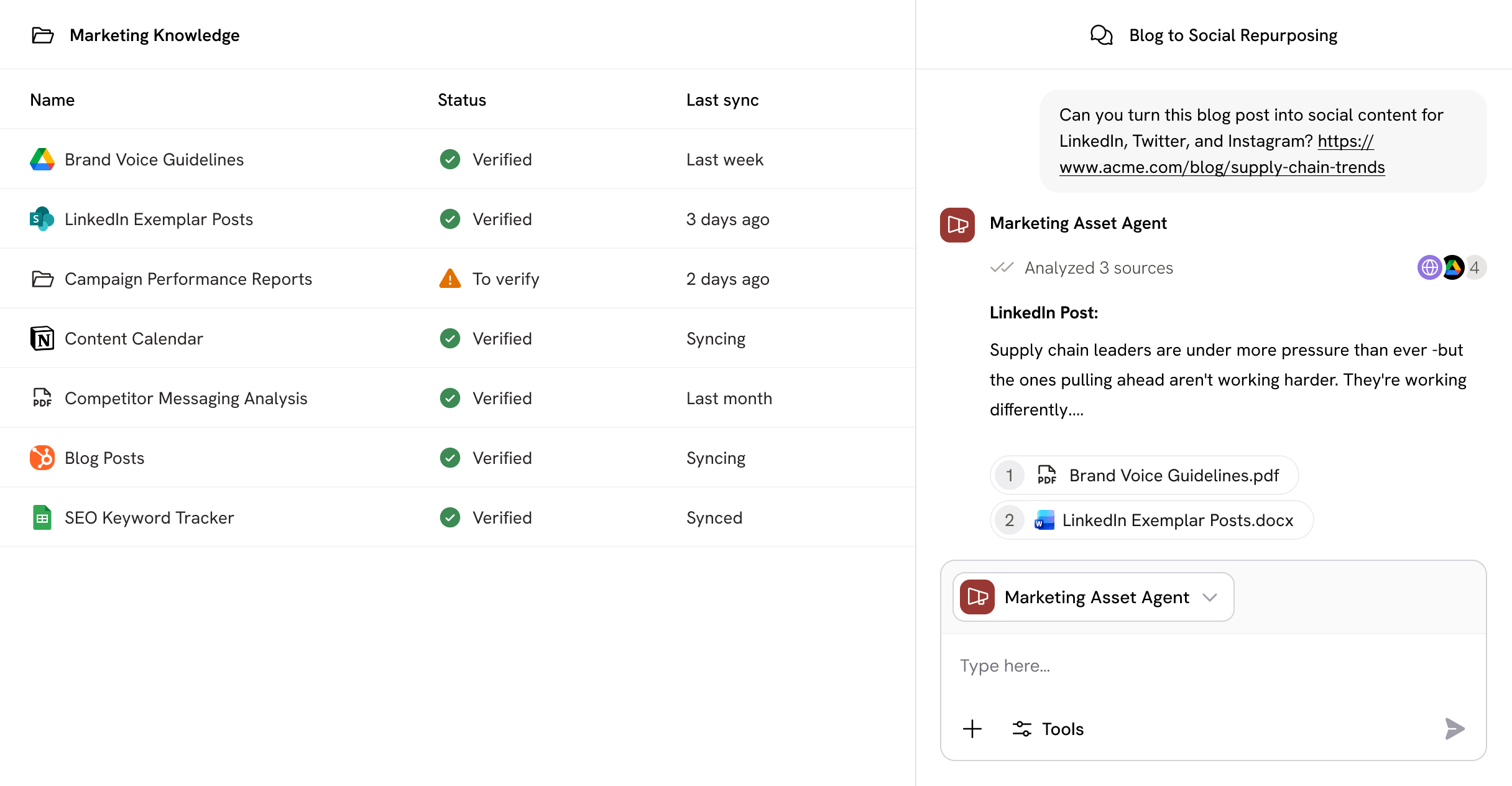
Give AI the context to work the way you do

Cassidy's Knowledge Base grounds your Agents in real company knowledge—turning fragmented files into outputs your best people would trust. Synced, cited, and permission-aware.
Book Demo
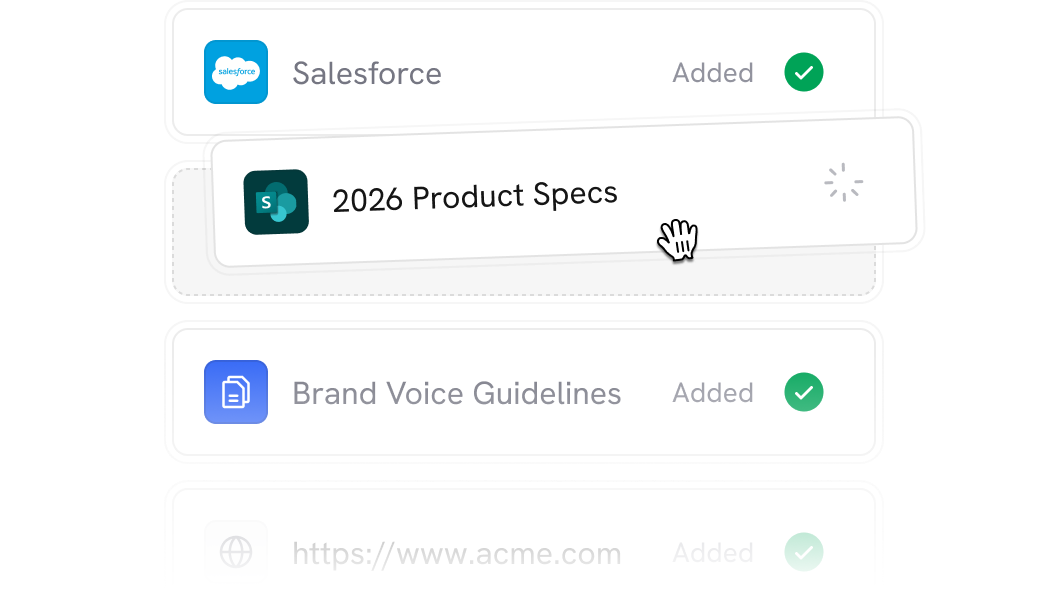
Graphic visualization of a list of sources of information that can be added inside Cassidy
Trusted by 20,000+ teams worldwide
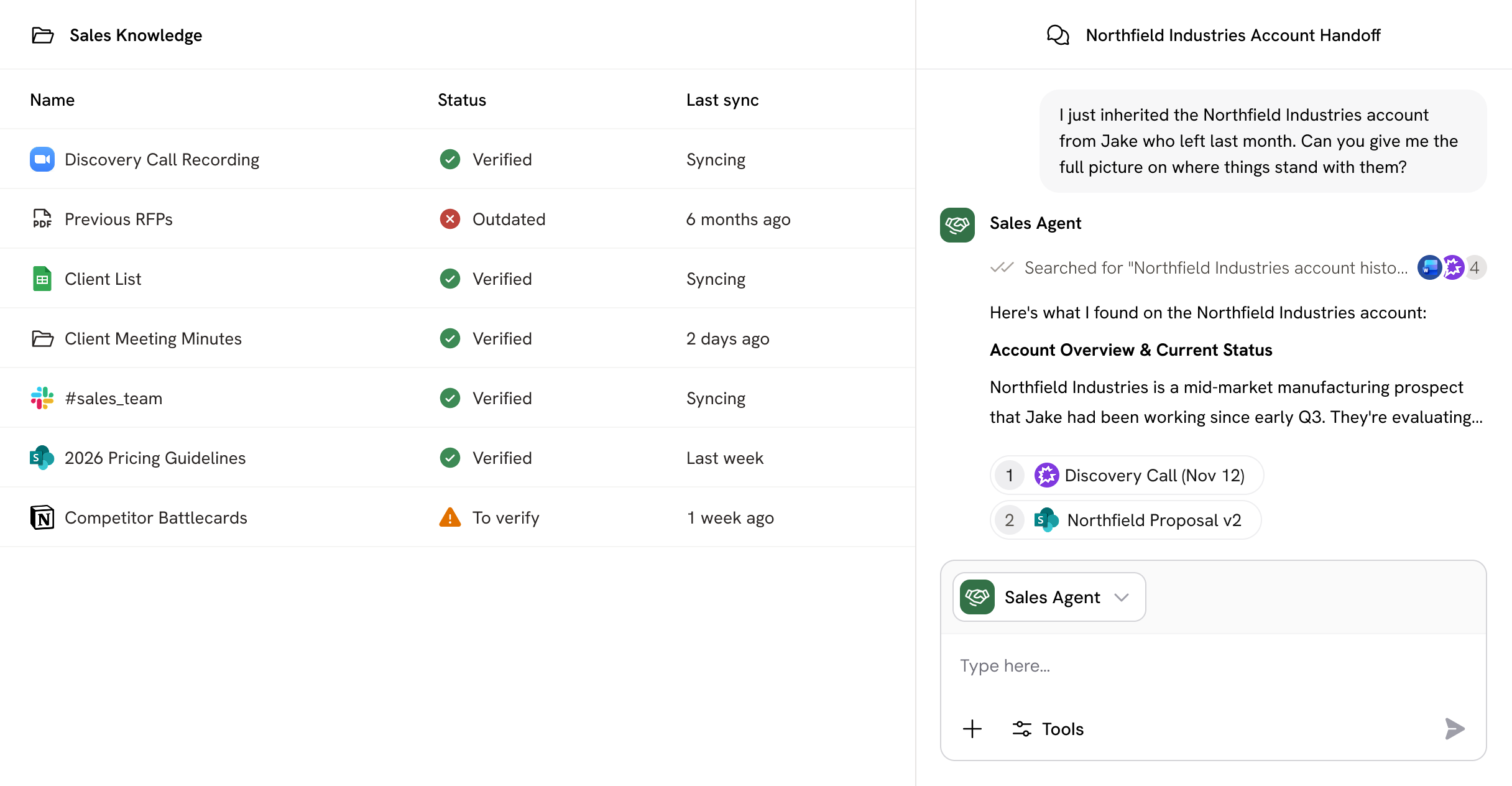
Cassidy's Knowledge Base product representation showing how Cassidy helps users organize different sources of information in a single dashboard

Your AI is only as good as what it knows. Cassidy connects your business knowledge—and the understanding to use it

Without Cassidy

Many sources of information including documents, tables, Slack messages etc. scattered all around
Knowledge trapped in silos. Every answer requires digging through folders and pinging teammates.

With Cassidy

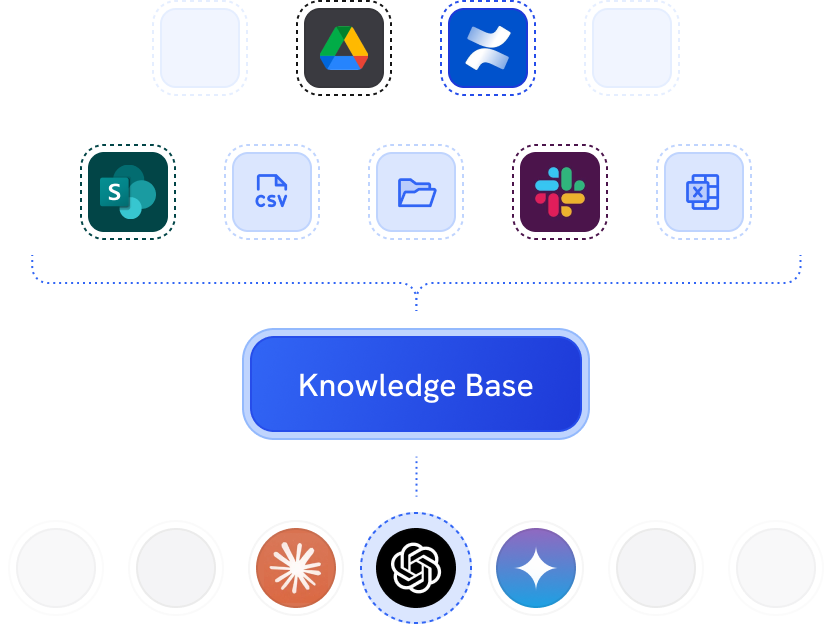
Diagram showing various file format and app icons feeding into a central Cassidy Knowledge Base box, which then connects to AI models including OpenAI, Claude and Gemini.
One source of truth. Instant retrieval with citations that are always up to date.
Agents & workflows

Plug in once, power everything

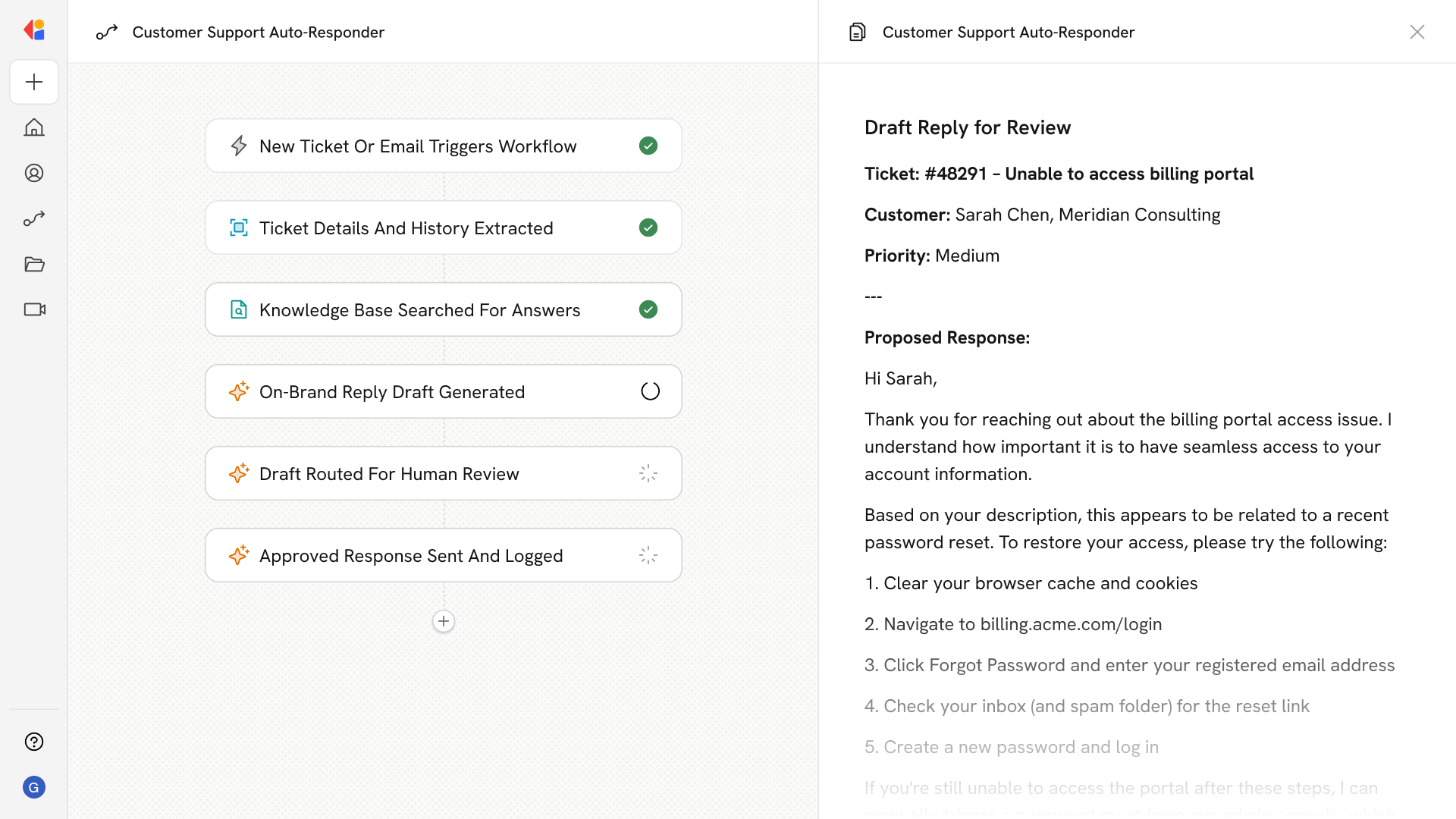
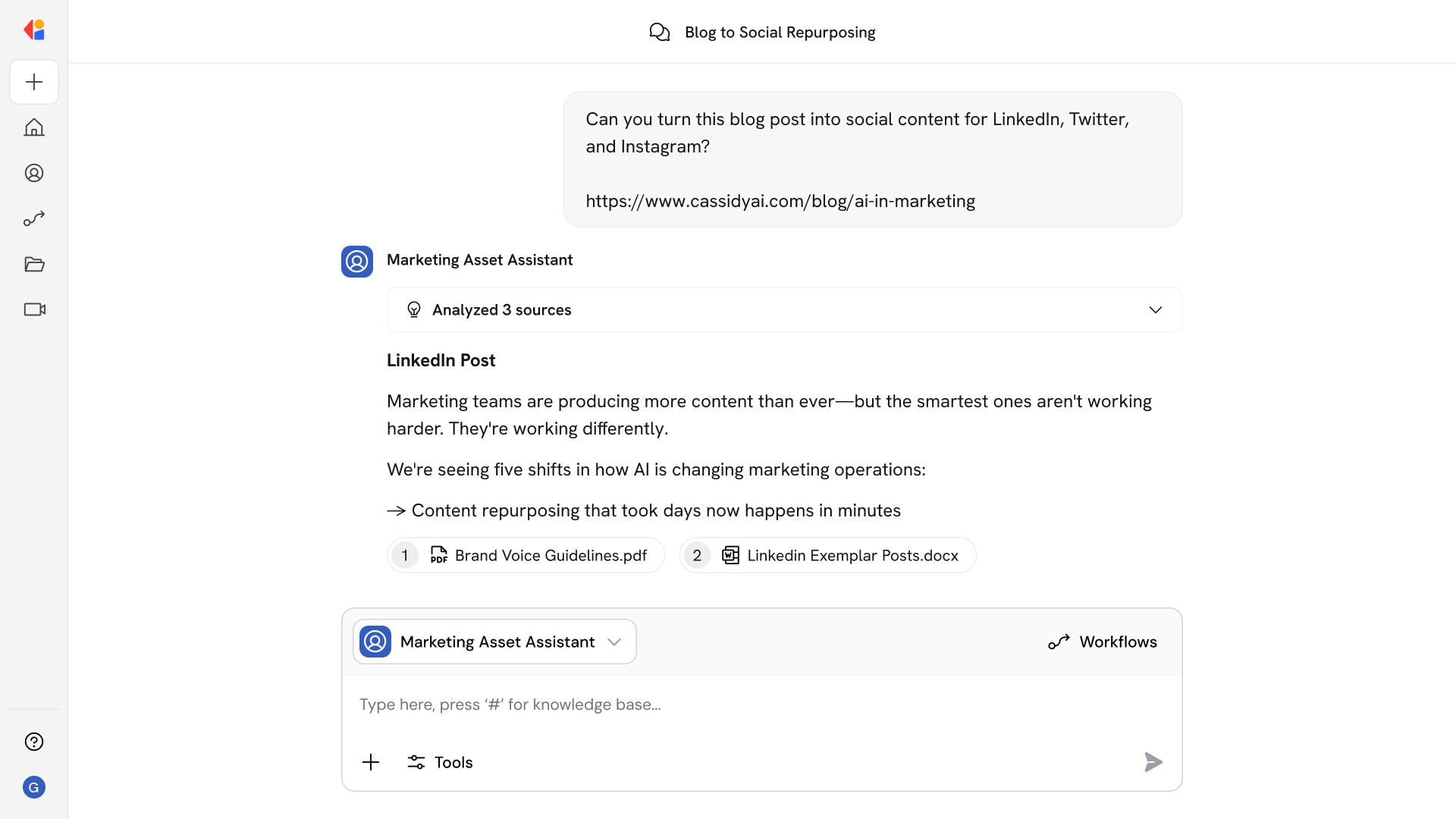
Your Knowledge Base powers every automation you build.
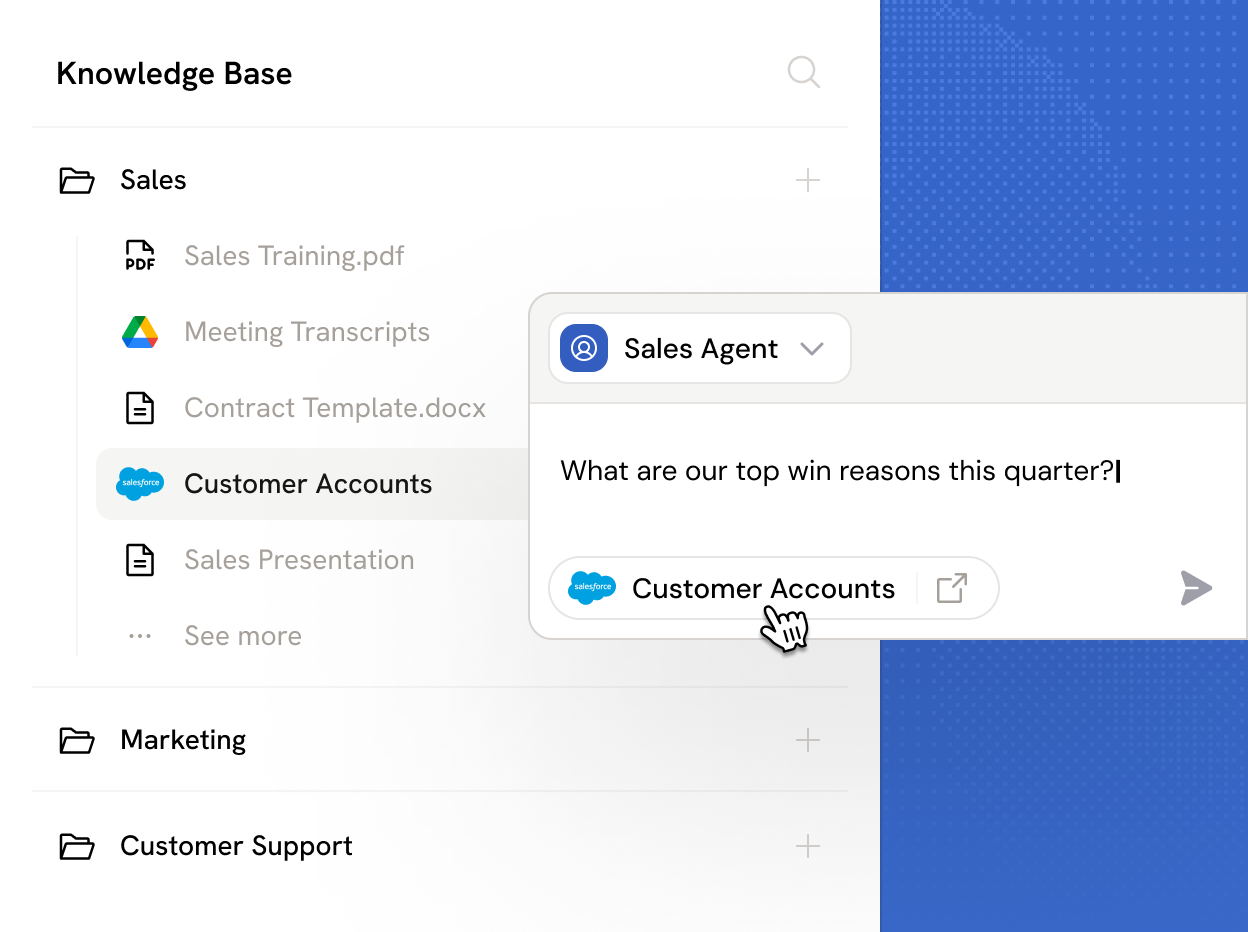
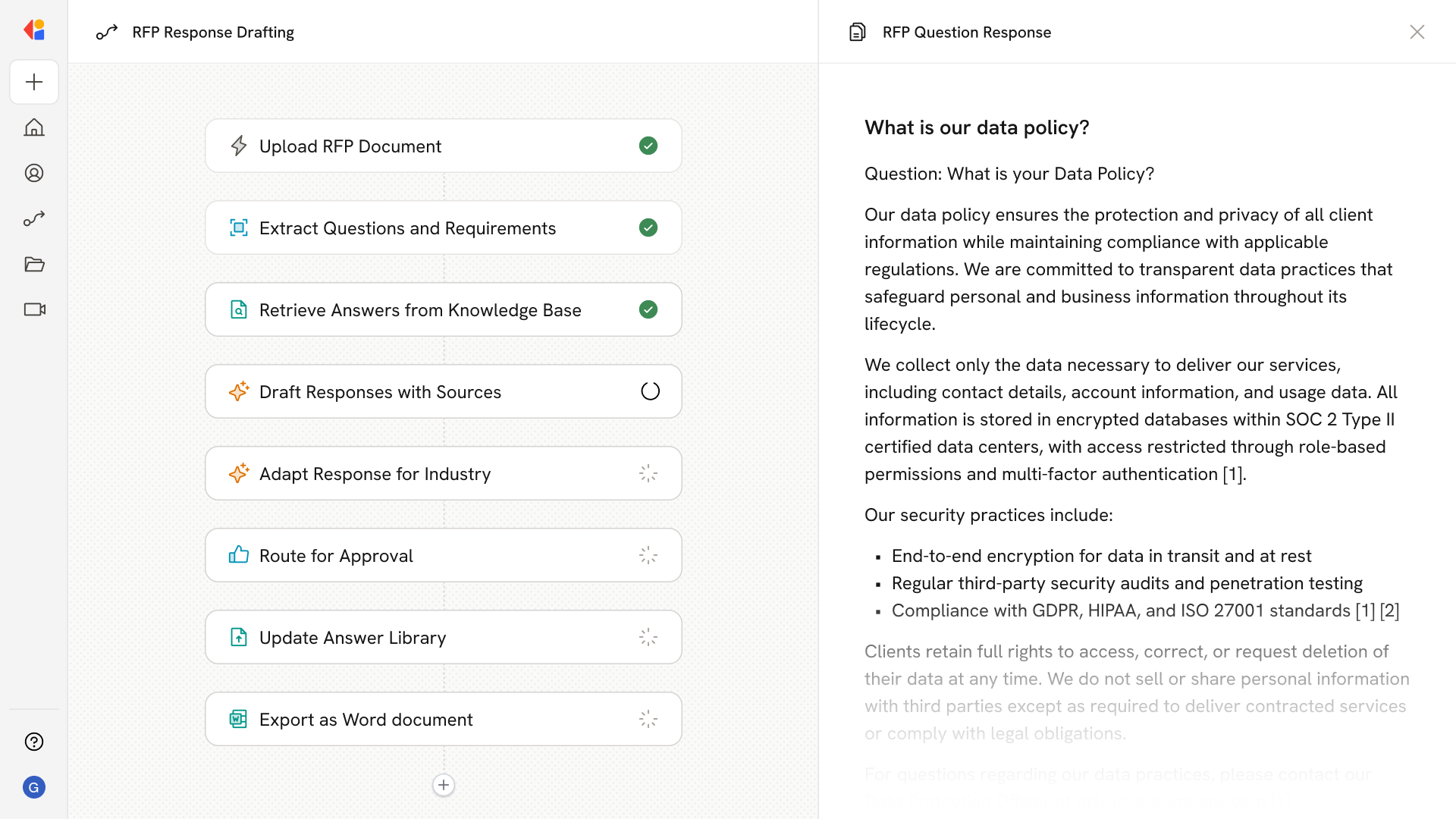
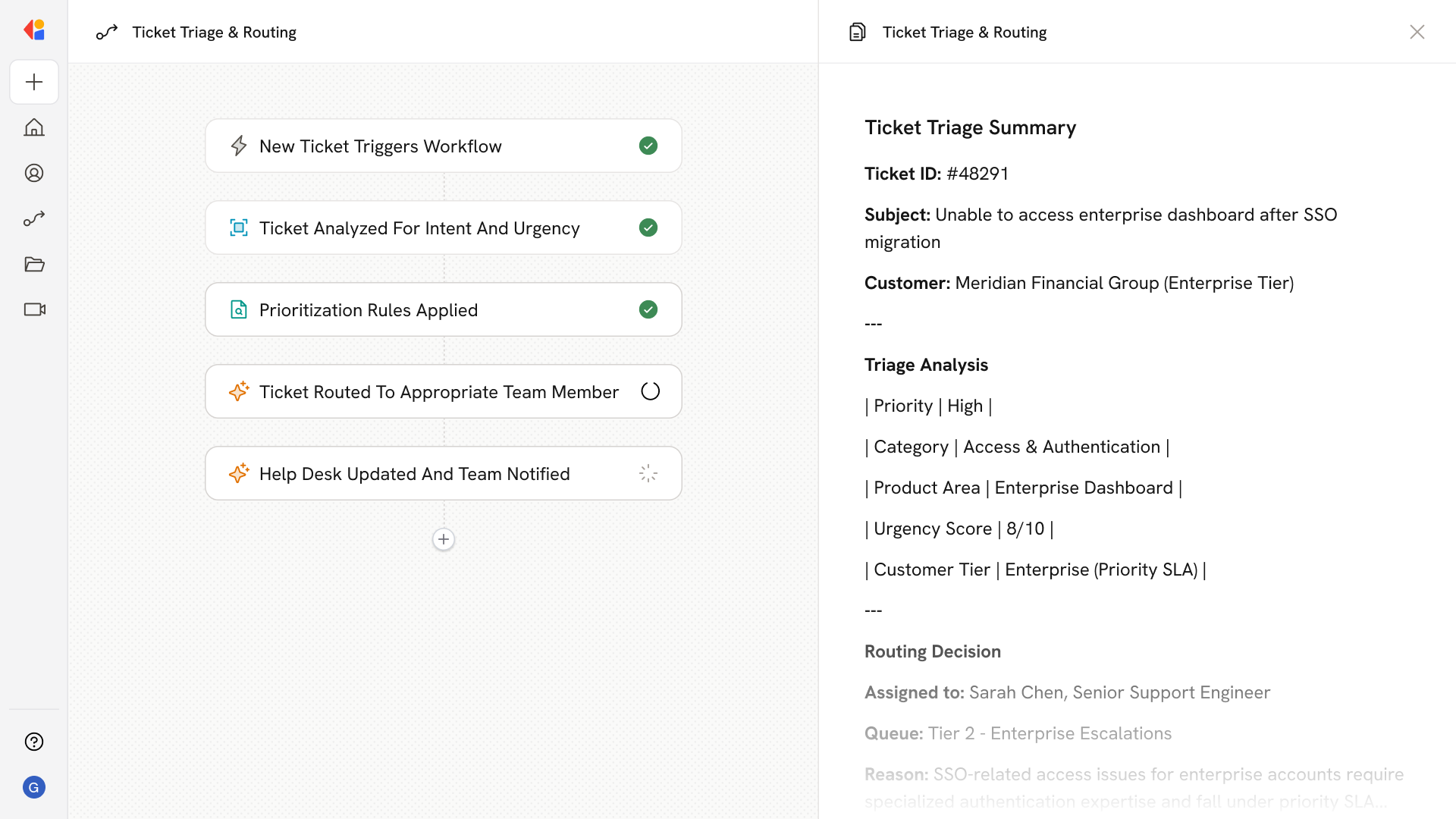
Sync your documents and Cassidy retrieves what's relevant for the task at hand, pulling the right context for each Agent and Workflow. Every answer, decision, and action AI makes is grounded in your data and cited to the source.
Book Demo
Knowledge base interface showing folders for Sales, Marketing, and Customer Support, with Sales expanded to display multiple documents including a Salesforce Customer Lists file, and an AI Assistant panel drafting a query to order clients by deal size.
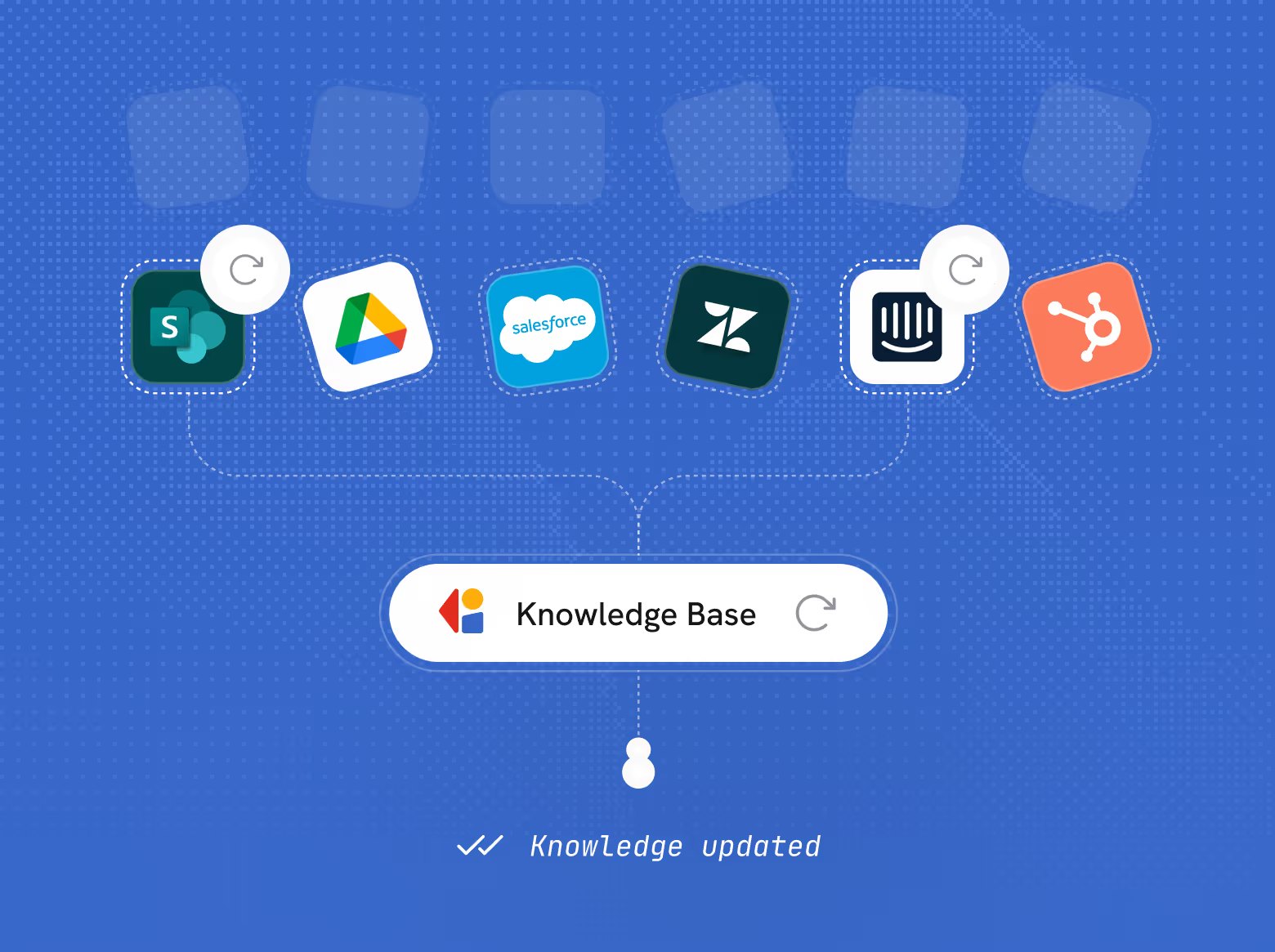
Diagram showing integration of SharePoint, Google Drive, Salesforce, Zendesk, Intercom, and HubSpot icons connected to a central Cassidy Knowledge Base labeled 'Knowledge Base'.
Live Syncing

Always up-to-date knowledge

Connect your tools
Sync with the tools you already use like Google Drive, SharePoint, Confluence, and Box. Cassidy automatically keeps your Knowledge Base current, pulling in new files, edits, and updates as they happen. Your AI works from the latest information, every time.
Book Demo
Permissions

Access rules that mirror your organization
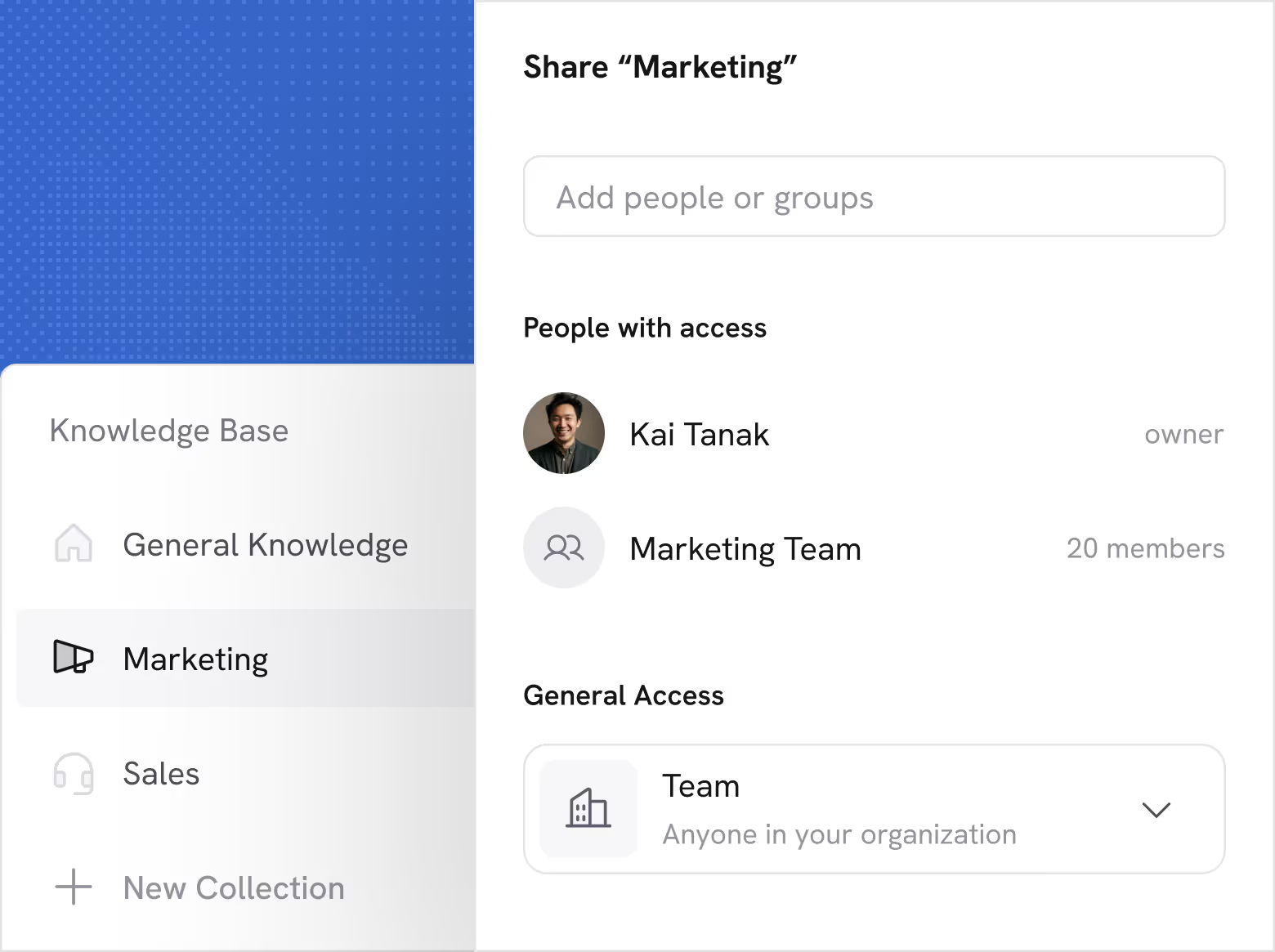
Granular permissioning controls
Cassidy preserves who can see what—users can only view documents and receive answers from sources they're authorized to access. Sensitive information stays protected as your AI scales across teams. Built for governance and compliance from the start, with data secured using the highest standards.
Book Demo
Cassidy interface showing sharing settings for the Marketing Knowledge Base section, listing Kai Tanak as owner, Marketing Team with 20 members, and general access set to Team for anyone in the organization.
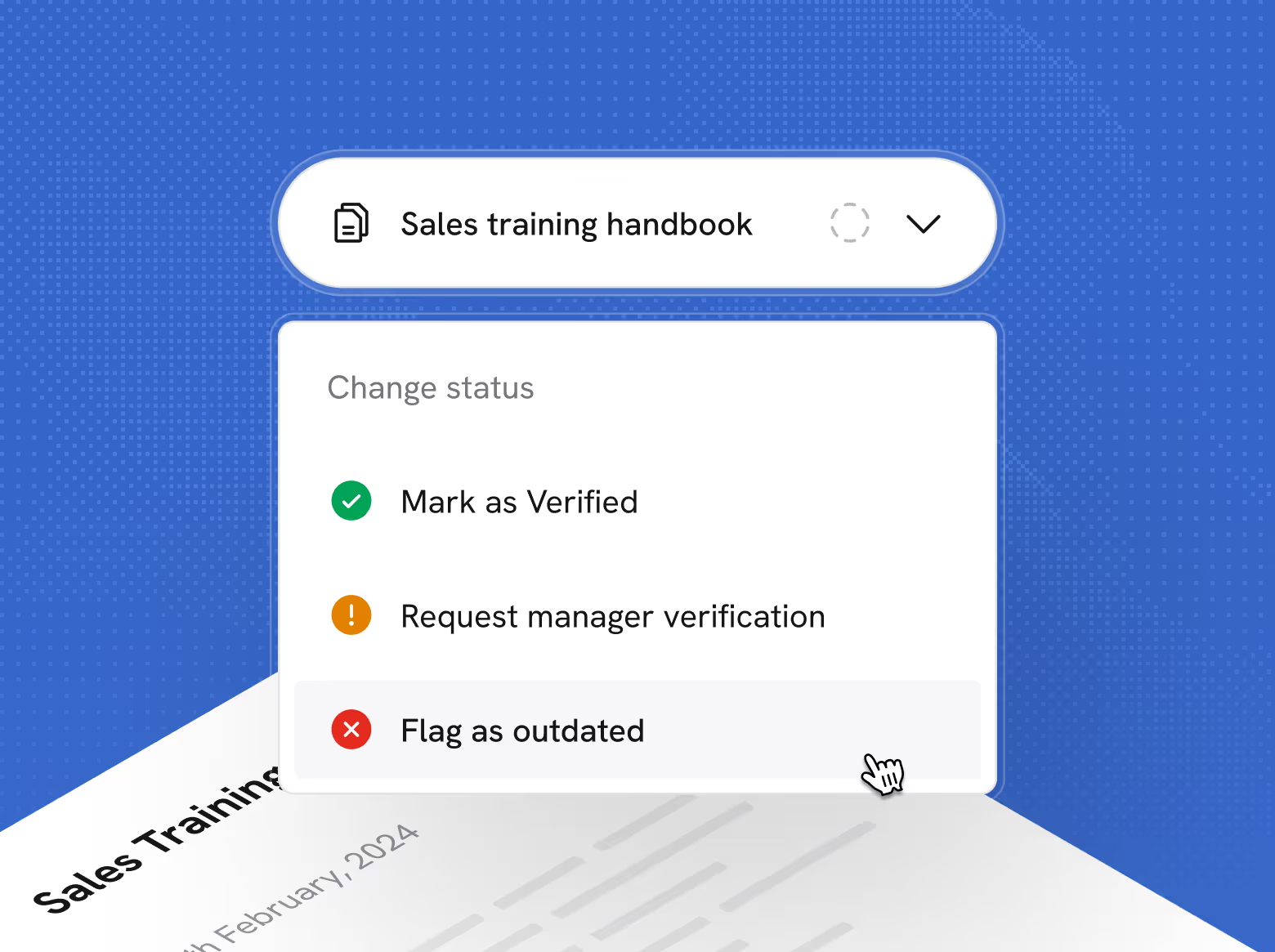
Dropdown menu for the Sales training handbook with options to mark the Knowledge Base item inside Cassidy as Verified, Request manager verification, or Flag as outdated, with a cursor pointing at Flag as outdated.
Document Verification

Built-in quality control for your knowledge

Keep your Knowledge Base accurate over time
Cassidy lets teammates verify, request verification, and flag sources as outdated. Document owners are notified to update or deprecate content so your AI stays grounded in information you trust.
Book Demo

A powerful Knowledge Base with multiple benefits

Additional ways to customize, control, and scale
your Knowledge Base.
Semantic search
Find relevant information based on meaning—not just keywords—across all your documents
Answer Hubs
Create curated question and answer pairs that Agents prioritize when users ask related questions
Website import
Pull content directly from URLs so your Knowledge Base stays aligned with your public-facing information
Meeting transcript
Import recordings and transcripts from Meetings directly into your Knowledge Base
Collections by team
Organize knowledge by department—Sales, Support, Marketing, Ops—with separate permissions for each
Deep-linked citations
Every answer links back to the exact source and snippet—click through to see context instantly

Real use cases powered by Cassidy’s Knowledge Base

Automate the critical and the mundane work that keeps your best people from focusing on what only they can do.

Connects to the tools your team already uses
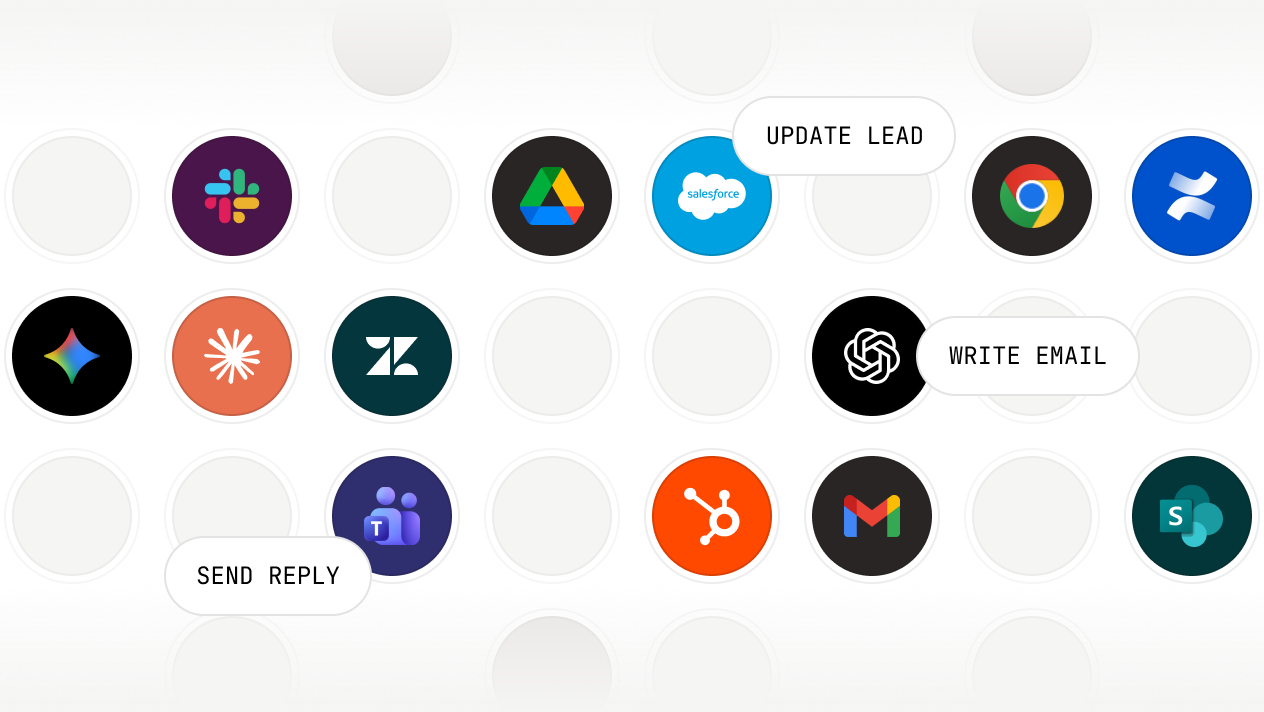
Pull context from anywhere. Take action everywhere.
Deploy where your team works.
Grid of Cassidy integration app icons including OpenAI, Google Drive, Slack, Google Chrome, Confluence, Salesforce, Zendesk, HubSpot, Microsoft Teams, Gmail, and SharePoint with text labels Reply DM, Write Email, Update Lead.

Secure, governed, and ready for enterprise

We maintain compliance with the strictest international security and privacy standards
SOC 2 Type II
GDPR
CASA
HIPAA
No model training on your data
Your information stays private and is never
used for training
Single sign-on (SSO)
Connect your identity provider for secure,
centralized access
Advanced RBAC user permissions
Fine-grained control over access across
teams and roles
Advanced data security
Row-level security and granular access controls protect against unauthorized access
Choose your model
Select from leading models from OpenAI,
Anthropic, and Google
Organization-wide instructions
Set guardrails and rules that apply across every Agent and Workflow

Frequently asked questions

Find answers to common questions about the Knowledge Base, security, and getting started. Still have questions? Talk to our team!
What types of sources and files can I connect to my Knowledge Base?

Cassidy connects to the tools your team already uses—Google Drive, SharePoint, OneDrive, Confluence, Notion, and more. You can also upload files directly or import content from URLs. Cassidy handles structured and unstructured data: PDFs, Word docs, spreadsheets, presentations, text files, and wiki pages. If it holds your business knowledge, you can bring it into Cassidy.

How does Cassidy keep my Knowledge Base up to date?

Cassidy syncs with your connected sources automatically, so your Knowledge Base always reflects the latest versions of your files. Document Verification allows your team to flag potentially outdated content for review—so your AI never acts on stale information.

How do citations work?

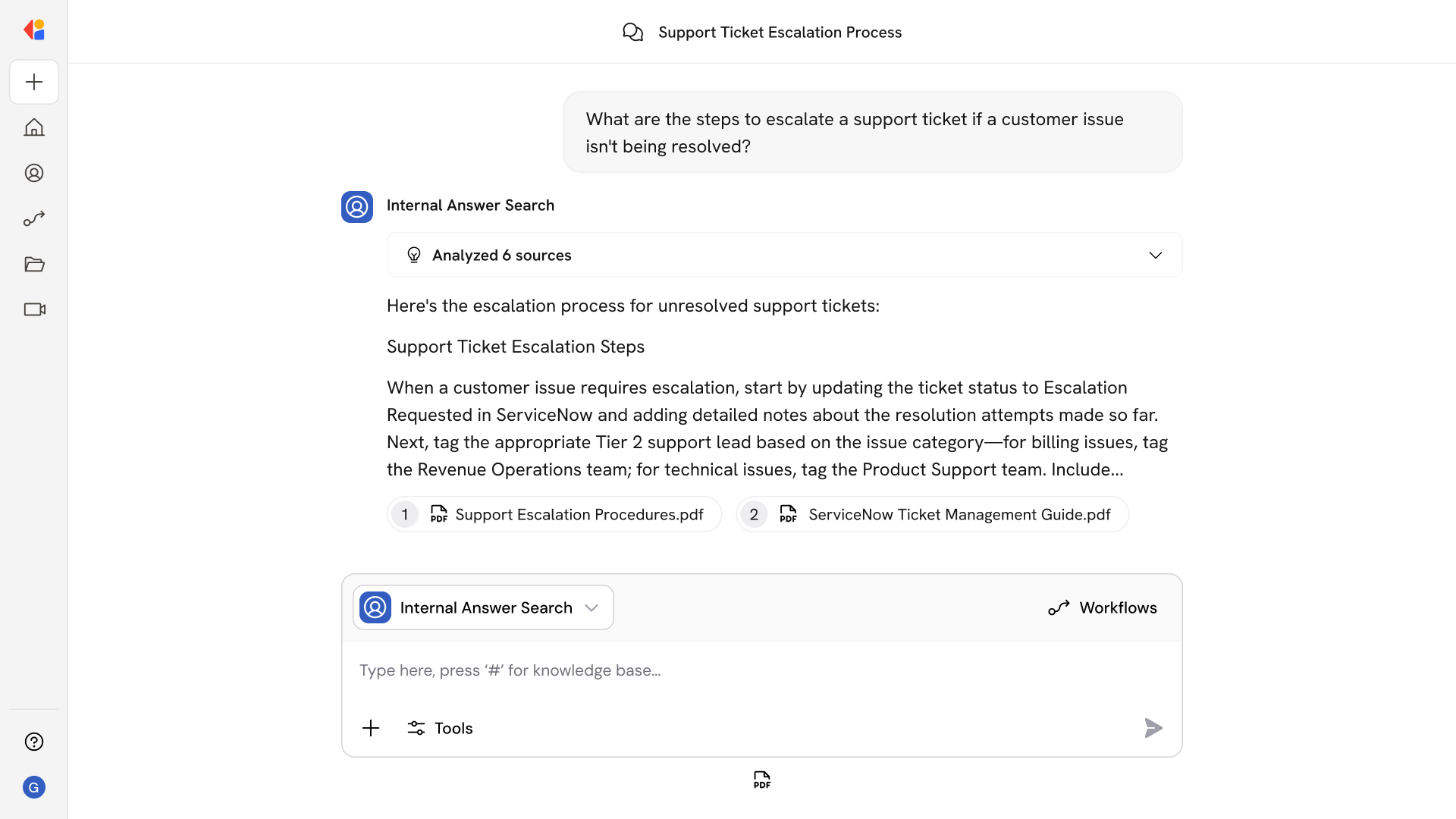
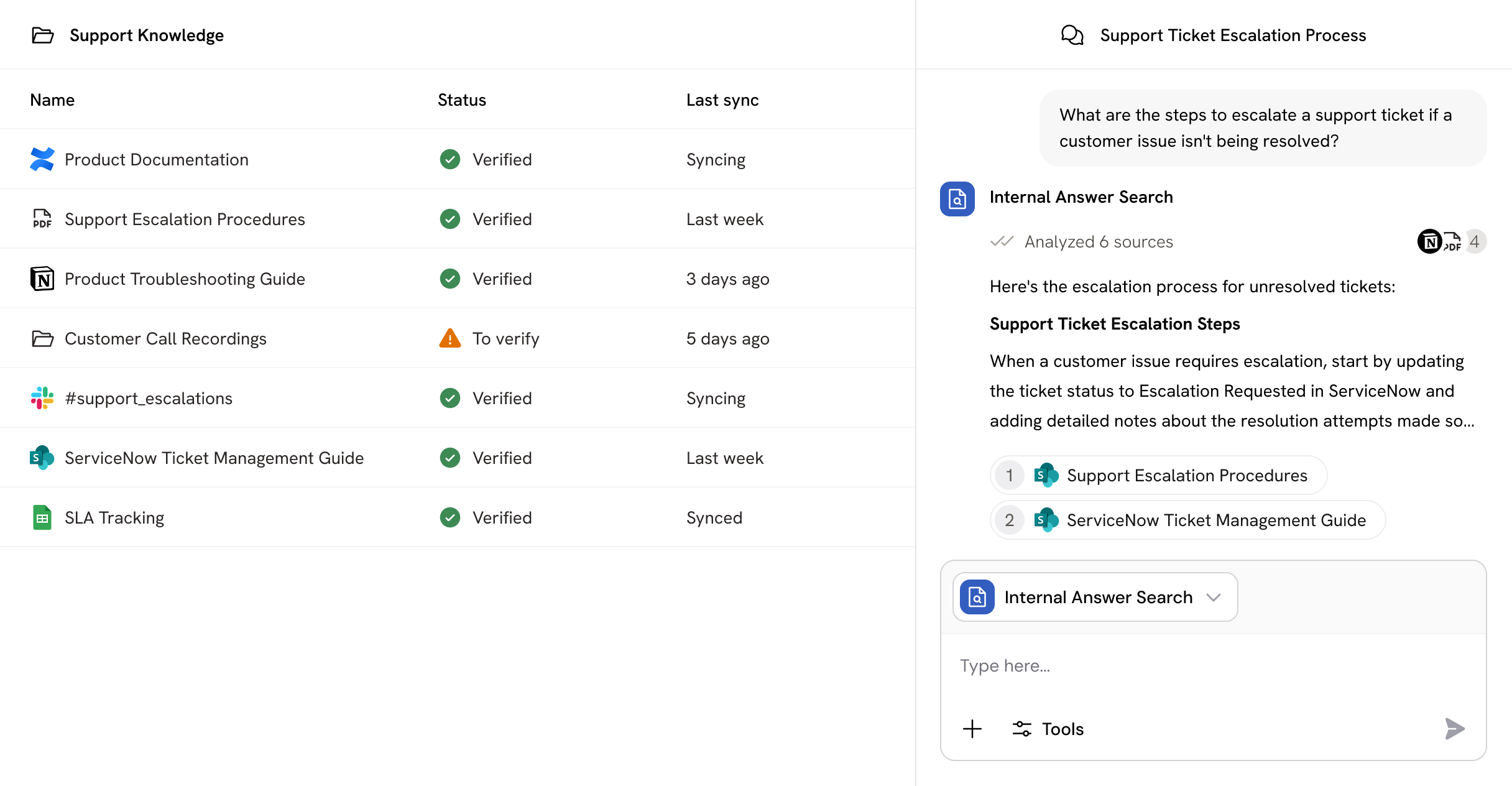
Every answer your Agents provide links back to the exact source it pulled from. Citations are deep-linked, so you can open them directly and see the relevant snippets in context—no hunting through documents. This creates an auditable trail your team can trust.

Can I control who has access to specific knowledge?

Yes. Cassidy supports granular, role-based permissions so you can control which users, teams, or Agents can access specific collections or documents. Your existing access rules carry over from connected sources, and you can layer on additional controls within Cassidy.

How does the Knowledge Base power Agents and Workflows?

When you build an Agent or Workflow, you choose which Knowledge Base collections it can access. Cassidy retrieves relevant information in real time, grounding every response in your actual business knowledge—not generic AI guesses.

Is my Knowledge Base data used to train AI models?

No. Your data stays private. Cassidy never uses your Knowledge Base content to train AI models—it's used solely to provide context for your Agents and Workflows.

Move from idea to production with Cassidy