RFP Response Drafting
What does this mean?
Teams submit accurate, consistent proposals faster with fewer handoffs—keeping SMEs in control for final validation and risk checks—while the system continuously improves from reviewer feedback so future RFPs require less manual effort and move to sign‑off even faster.
How it works?
Pulls questions and requirements from incoming RFP documents, searches approved answer libraries and past proposals, and auto‑drafts responses that blend approved, on-brand language with tailored content grounded in the current RFP’s context; leverages industry‑, product‑line‑, or geography‑specific Agents to adapt tone, compliance, SLAs, and feature nuances while preserving citations, then routes drafts to the right SMEs for human‑in‑the‑loop review and approvals—with a feedback loop that flags unknowns for expert input, captures corrections, and updates the approved answer library for next time.
Workflow steps
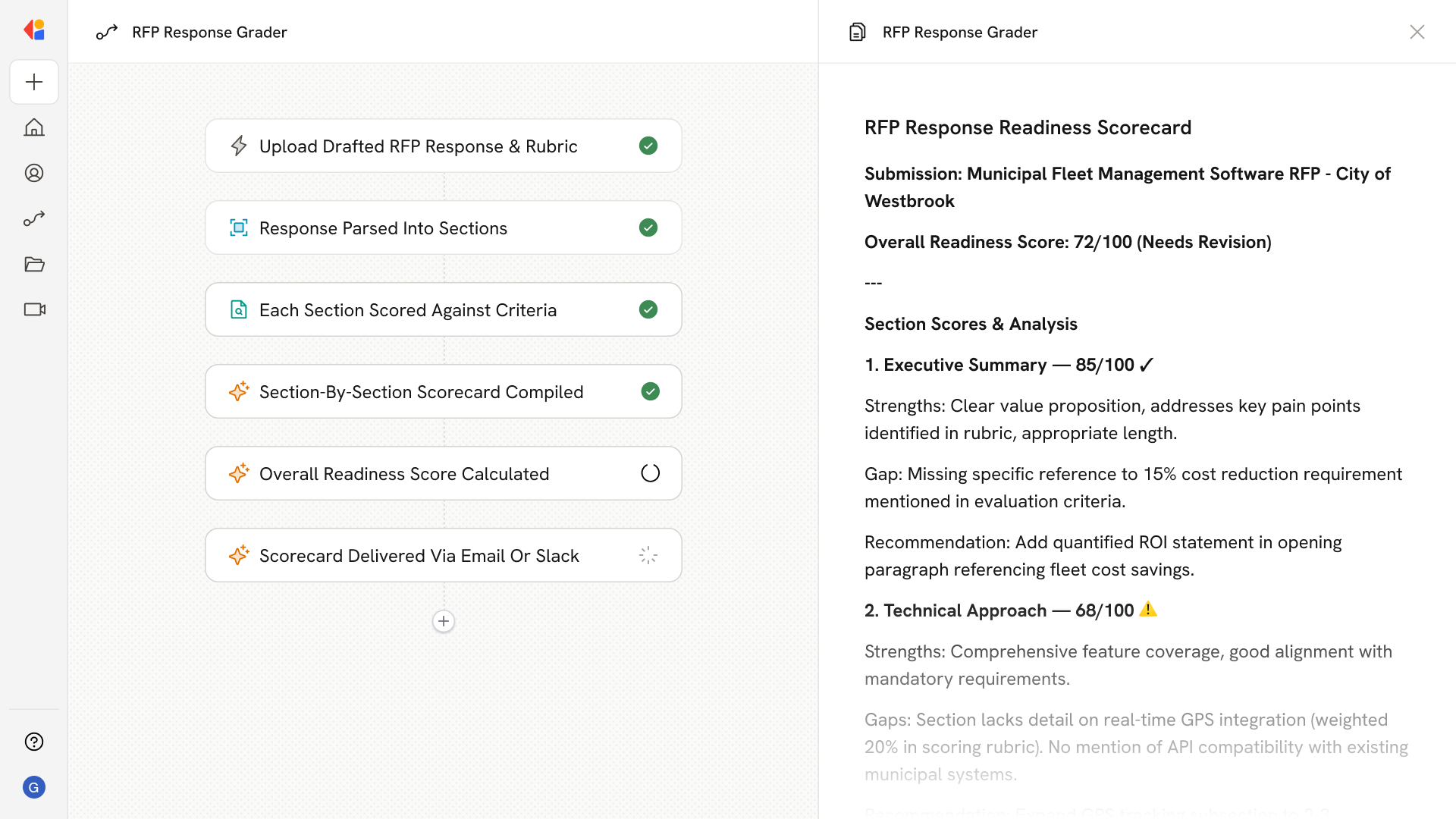
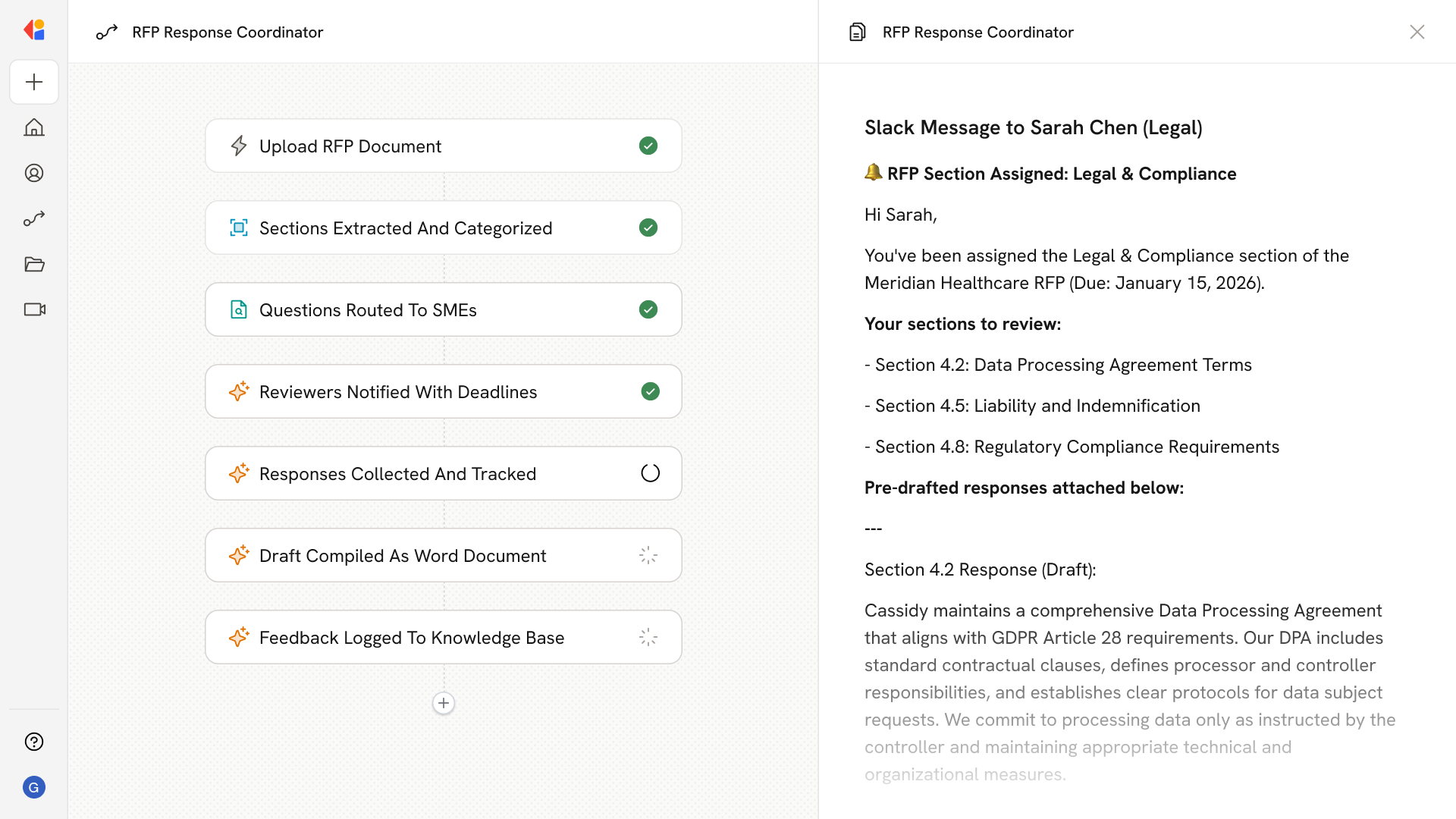
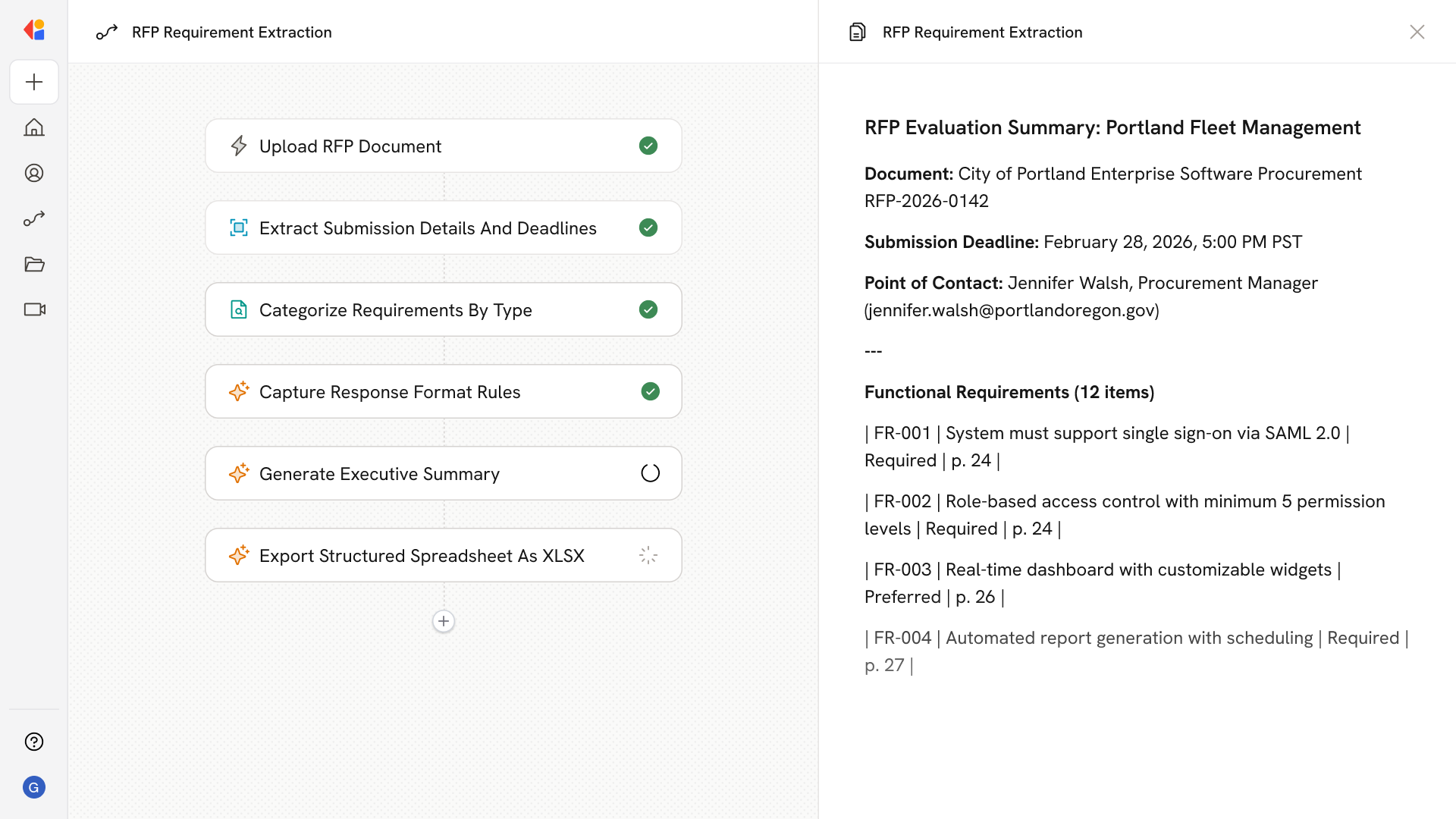
Step 1: Upload or receive RFP document
The Workflow activates when a new RFP document is uploaded—either manually or via an integration with SharePoint, Google Drive, or Box—kicking off the response process.
Step 2: Extract questions and requirements
Cassidy parses the incoming RFP, pulling out individual questions, compliance requirements, and submission criteria into a structured format ready for response drafting.
Step 3: Search approved answer libraries
The Workflow searches your Knowledge Base—including approved answer libraries, past proposals, and product documentation—to find relevant, vetted content for each question.
Step 4: Draft tailored responses
Cassidy auto-generates responses that blend approved, on-brand language with content tailored to the current RFP's context, preserving citations and source references throughout.
Step 5: Adapt for industry, product, or region
The Workflow routes questions through specialized Agents that adjust tone, compliance language, SLAs, and feature details based on industry, product line, or geography.
Step 6: Route to SMEs for review
Drafts are sent to the appropriate subject-matter experts for human-in-the-loop approval, keeping your team in control for final validation, risk checks, and sign-off before submission.
Step 7: Capture feedback and update the Knowledge Base
Reviewer corrections and new approved answers are logged and fed back into the answer library, so future RFPs benefit from improved content and require less manual effort.
Step 8: Export final proposal
Once approved, the Workflow compiles all responses and exports the completed proposal as a Microsoft Word document—ready for delivery.
Implement it inside your company
- Hands-on onboarding and support
- Self-paced training for your team
- Dedicated implementation experts
- Ongoing use case discovery
- ROI tracking & analytics dashboards
- Proven playbooks to get started fast