Automated Scheduling and Availability Tracking
What does this mean?
Streamlines meeting coordination and task management, reducing scheduling conflicts and optimizing time allocation across teams.
How it works?
Integrates with calendar systems to analyze free/busy status and automatically schedule meetings or allocate time blocks for tasks based on availability.
Workflow steps
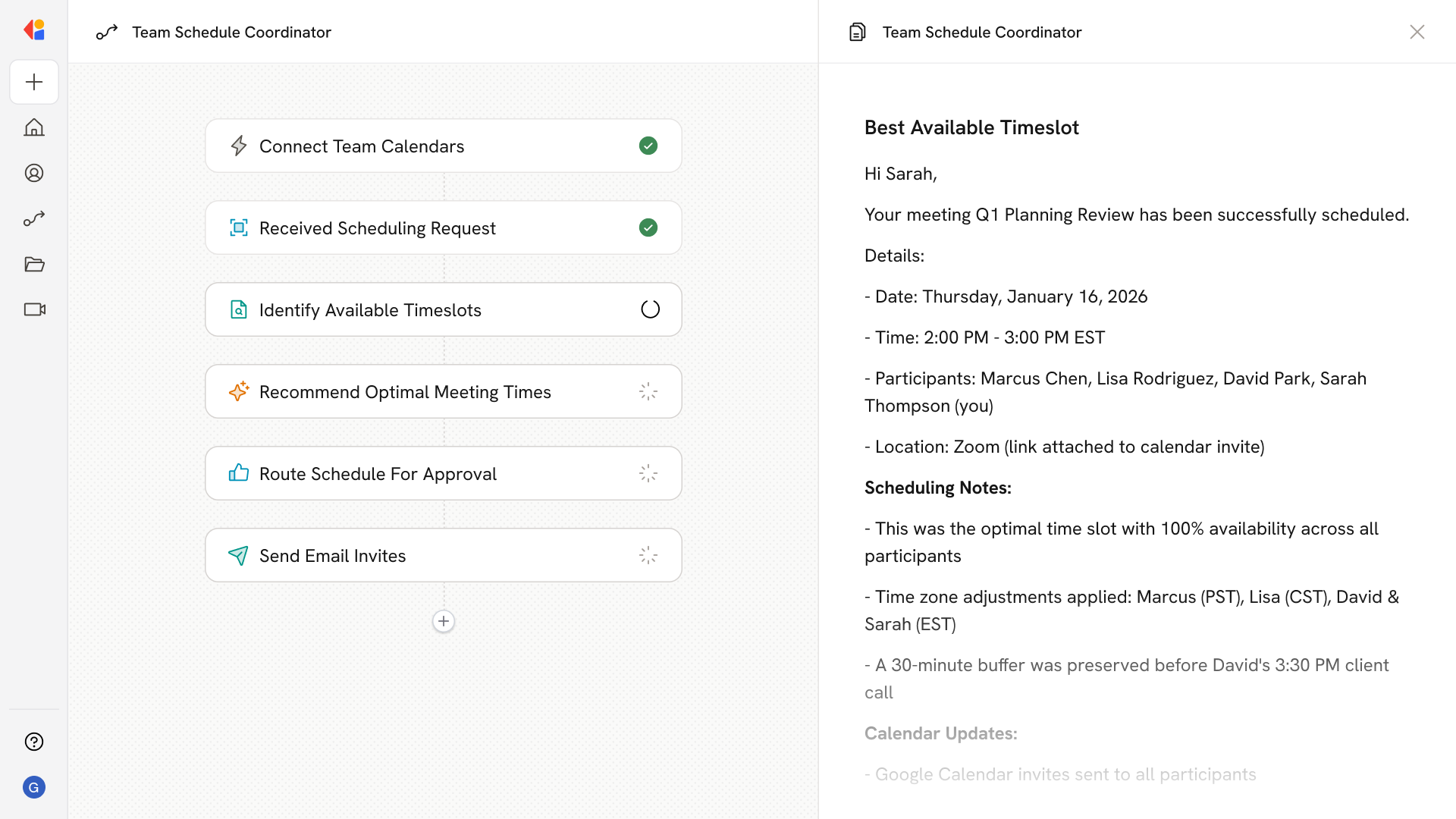
Step 1: Connect calendar systems
The Workflow integrates with your team's calendar platforms—Google Calendar, Microsoft Outlook, or other scheduling tools—to access real-time free/busy status across the organization.
Step 2: Trigger on scheduling request
When a meeting request comes in or a task needs time allocation, the Workflow activates automatically via a number of triggers such as a Slack message, or Microsoft Outlook Calendar trigger.
Step 3: Analyze team availability
Cassidy scans connected calendars to identify open time slots, checking each participant's availability and flagging potential conflicts before they happen.
Step 4: Generate optimal meeting times
The Workflow recommends the best meeting windows based on participant availability, time zone considerations, and scheduling preferences.
Step 5: Allocate time blocks for tasks
For task management, the Workflow automatically carves out focused work blocks on team members' calendars, protecting time for deep work and balancing meeting load.
Step 6: Route for human review
Proposed schedules are sent to the organizer or team lead via the Request Input from Team action, allowing quick approval or adjustments before finalizing.
Step 7: Confirm and update calendars
Once approved, the Workflow sends calendar invites, updates all connected systems, and notifies participants—keeping everyone aligned without manual back-andth.
Implement it inside your company
- Hands-on onboarding and support
- Self-paced training for your team
- Dedicated implementation experts
- Ongoing use case discovery
- ROI tracking & analytics dashboards
- Proven playbooks to get started fast