Help Desk Knowledge Resolver
What does this mean?
Streamlines access to information while ensuring accuracy and compliance, reducing manual effort and improving response times for both routine and escalated queries.
How it works?
Automatically processes help desk ticket queries by searching a centralized Knowledge Base for relevant policies and responses, escalating to human reviewers for sensitive or unresolved topics, and responding with cited answers.
Workflow Steps
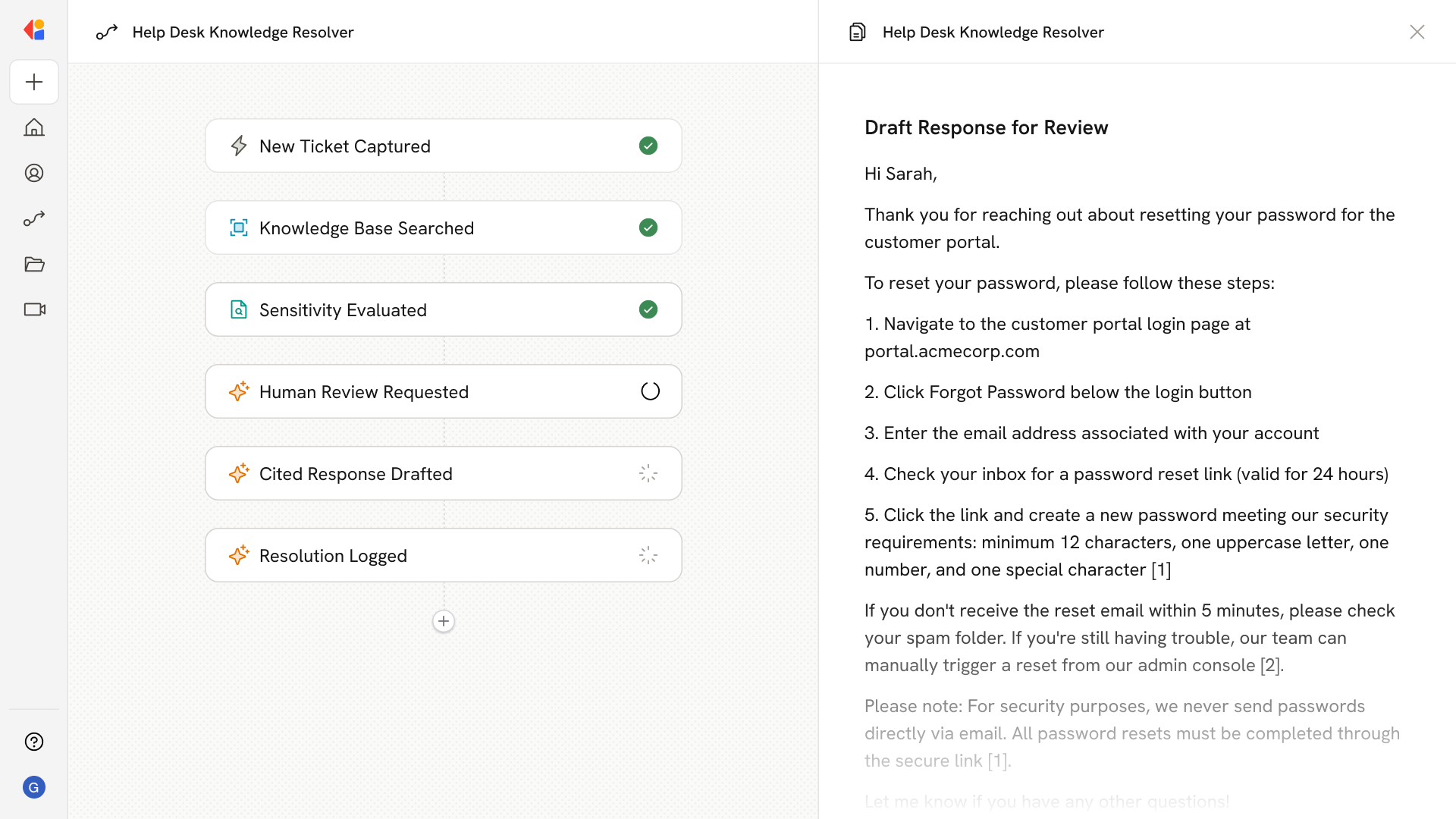
Step 1: Trigger on new help desk ticket
The Workflow activates automatically when a new ticket arrives in your helpdesk system—capturing the query details and context.
Step 2: Search the Knowledge Base
Cassidy searches your centralized Knowledge Base for relevant policies, documentation, and approved responses that match the ticket's topic.
Step 3: Evaluate sensitivity and completeness
The Workflow checks whether the query involves sensitive topics or if the Knowledge Base returned sufficient information to resolve the request.
Step 4: Escalate for human review (if needed)
For sensitive or unresolved queries, the Workflow routes the ticket to a team member for approval, keeping a human in the loop before any response goes out.
Step 5: Generate a cited response
Cassidy drafts a reply grounded in Knowledge Base sources—complete with citations so the end user can verify the information.
Step 6: Respond and log the resolution
Once approved (or automatically for routine queries), the response is sent back through your helpdesk system, and the Workflow logs the resolution for reporting and continuous improvement.
Implement it inside your company
- Hands-on onboarding and support
- Self-paced training for your team
- Dedicated implementation experts
- Ongoing use case discovery
- ROI tracking & analytics dashboards
- Proven playbooks to get started fast