Automated Time Tracking from Calendar
What does this mean?
Provides accurate and automated tracking of time allocation, improving billing accuracy and resource planning with minimal manual effort.
How it works?
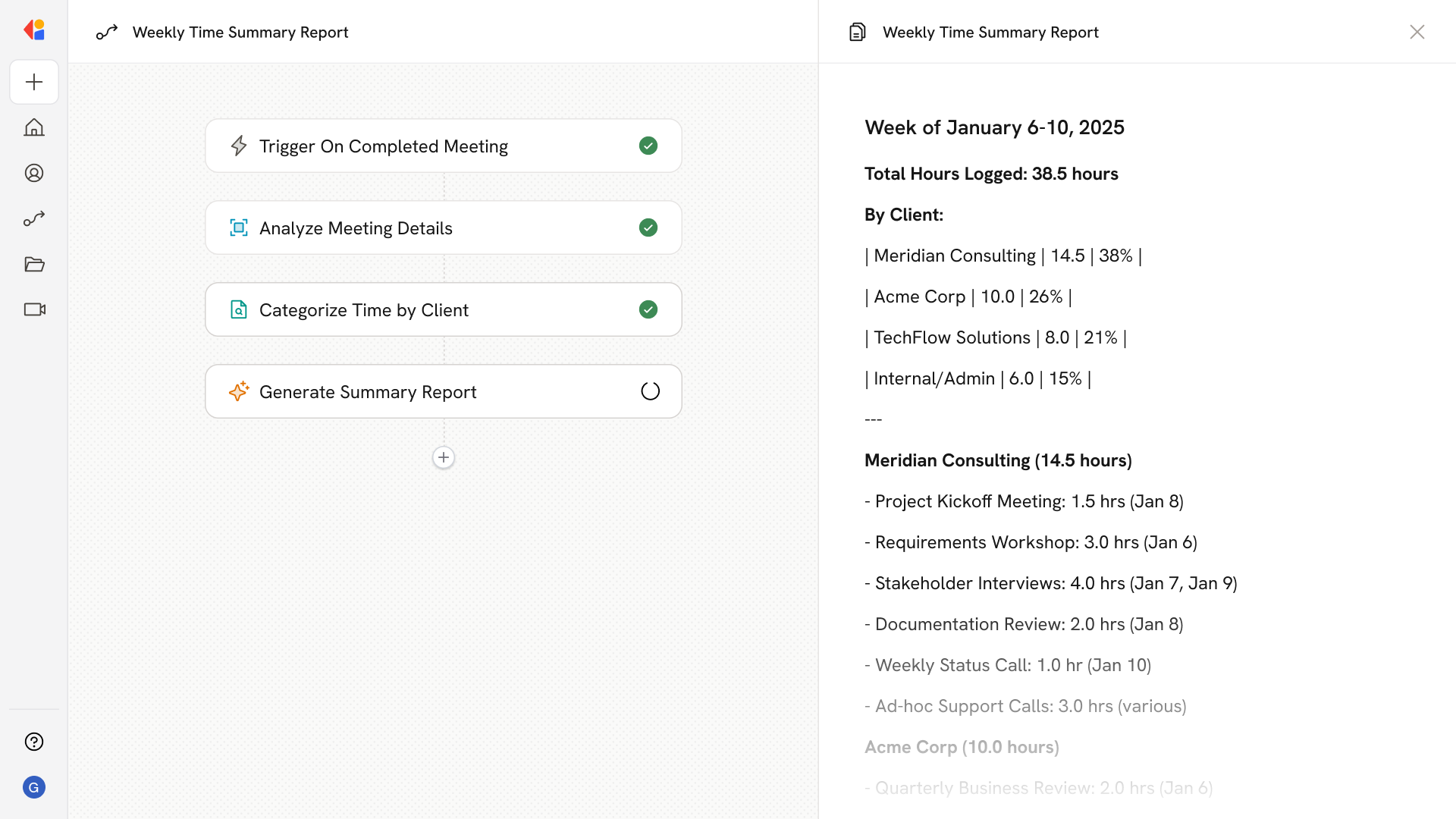
Syncs with calendars to track hours spent on client tasks by analyzing meeting durations and engagements, automatically logging time into tracking systems or reports.
Workflow steps
Step 1: Trigger on calendar event
The Workflow activates automatically via the Google Calendar or Microsoft Outlook Calendar trigger when meetings end or new events are completed throughout the day.
Step 2: Analyze meeting details
Cassidy analyzes each calendar event—extracting meeting duration, attendees, and event titles to determine which client or project the time should be attributed to.
Step 3: Categorize and allocate time
Using the Paths action, the Workflow routes each meeting based on client name, project code, or meeting type, ensuring hours are logged to the correct category for billing or reporting.
Step 4: Log time to tracking system
Using an API request or native integration, the Workflow automatically pushes the categorized time entries into your time tracking system, spreadsheet, or project management tool—no manual data entry required.
Step 5: Generate summary report
At the end of each day or week, the Workflow compiles a summary of hours logged by client or project, and sends it to relevant stakeholders for visibility and review.
Implement it inside your company
- Hands-on onboarding and support
- Self-paced training for your team
- Dedicated implementation experts
- Ongoing use case discovery
- ROI tracking & analytics dashboards
- Proven playbooks to get started fast